 sign in
droplist is the notes app for
people who love pen & paper
a simple yet powerful space to keep your
notes, tasks, and ideas in order
 sign in
a simple yet powerful space to keep your
notes, tasks, and ideas in order


We're not an all-in-one planner, calendar syncing, do it all app. we have an opinionated view on what you can and can't do with droplist
There are no AI features built into droplist right now, since we don't really see the need. Export your notes and bring them to your LLM of choice instead.
Most apps claim to 10x your productivity. droplist is simply a thoughtful space to drop what's on your mind and stay on top of what matters.
free to try for the first 2 weeks—no credit card needed!
then, just pay a small fee so we can keep developing it :)
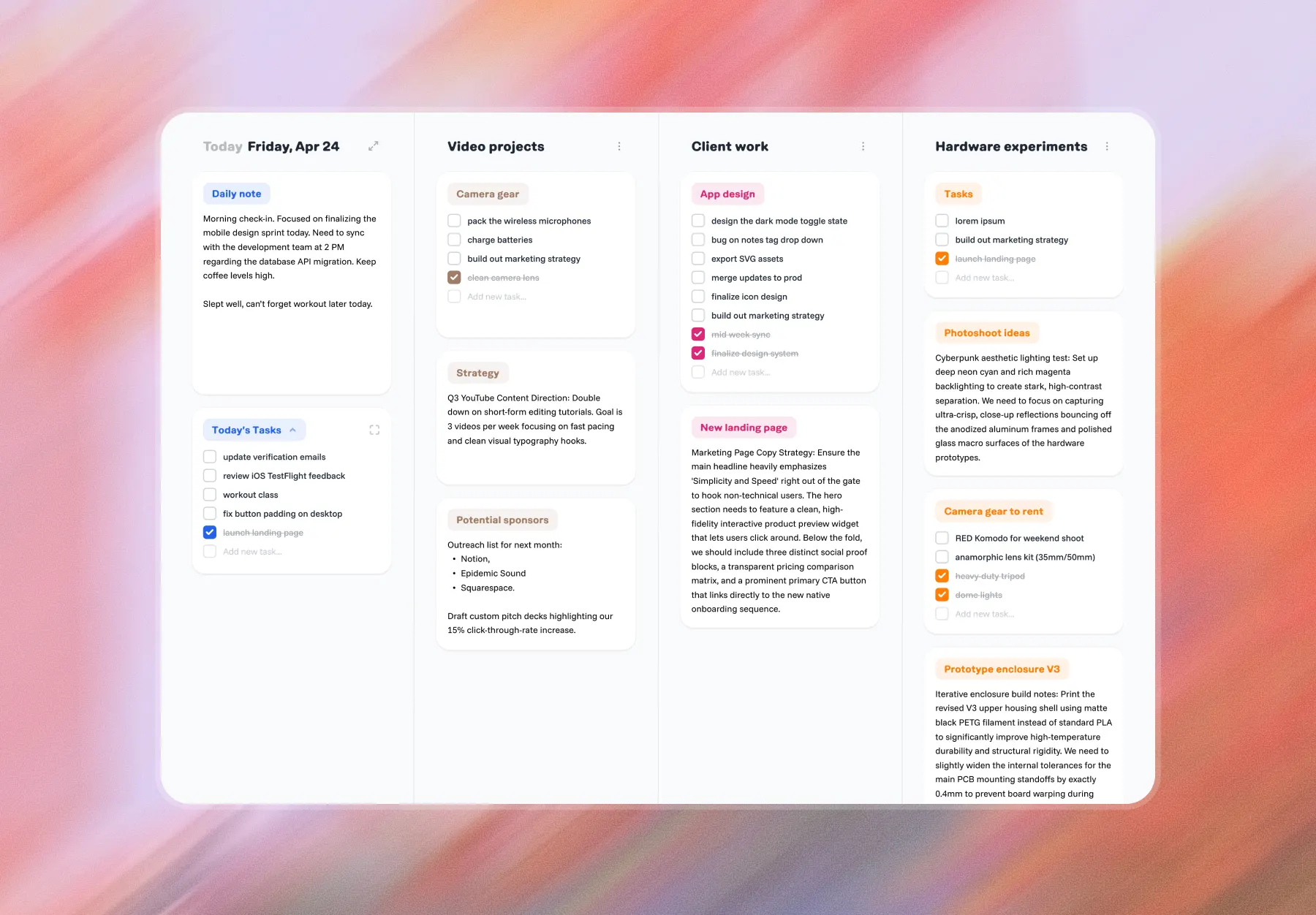
For people with scattered thoughts, sticky notes flooding your desk, and those who keep going back to the notebook. Droplist is meant to be a solution to a clutter-free daily journal with an organized space to drop everything else in your life. Imagine, all your sticky notes organized in one thoughtful space, so you never lose that important idea again.
Most to-do apps keep notes and tasks in separate places. Droplist starts with a daily note. You write the way you'd journal, then turn any line into a task without leaving the page. Add a # to anything and it files itself, so your notes become a reference library instead of a diary you never open again.
Both, on purpose. Thoughts land in the daily note first. Tasks, priorities, and tagged notes grow out of it. Use only the task list and it's a focused daily planner. Use only the notes and it's a journal that organizes itself.
Yes. Droplist is a mobile-friendly web app currently, with native Mac and iOS apps coming soon.
Type # and a word inside a note, and everything after it gets captured into that tag's collection, which is quickly accessible via the tags column.
Unfinished daily tasks roll over to the next day until completed and finished tasks clear themselves after 24 hours.
Yes. The Mono theme swaps in a darker palette and a monospaced typeface. Toggle it in Settings.
droplist is in public beta — try it out free for 14 days.
iOS app coming soon.